Why it was created
The author's story
Darkness Calendar is a hobby project of mine, finally made possible by today's modern development tools. There was once a simple website online that in my opinion stood above all others in the way it so clearly visualized the upcoming dark nights over the weeks and months ahead. I always used this website for planning my nights with the telescope.
I was also always worried that it would disappear one day, and I tried to get hold of the developer to get a copy of the code, but to no avail. Then one night it was gone. A year later or so someone else made a website that kind of did the same thing, but I was never really happy with how things were visualized, and I told myself that I would make my own version one day.
Then came the modern development tools that made software development so much more powerful, and I realized this was the time to create the web app that I always wanted. And that's what you are looking at here.
I hope you like it, and feel free to share your opinions and suggest improvements. Features are not too difficult to implement so don't hesitate to ask for something you think would be useful.
Olle Eriksson, mail@olle-eriksson.com
Why it matters
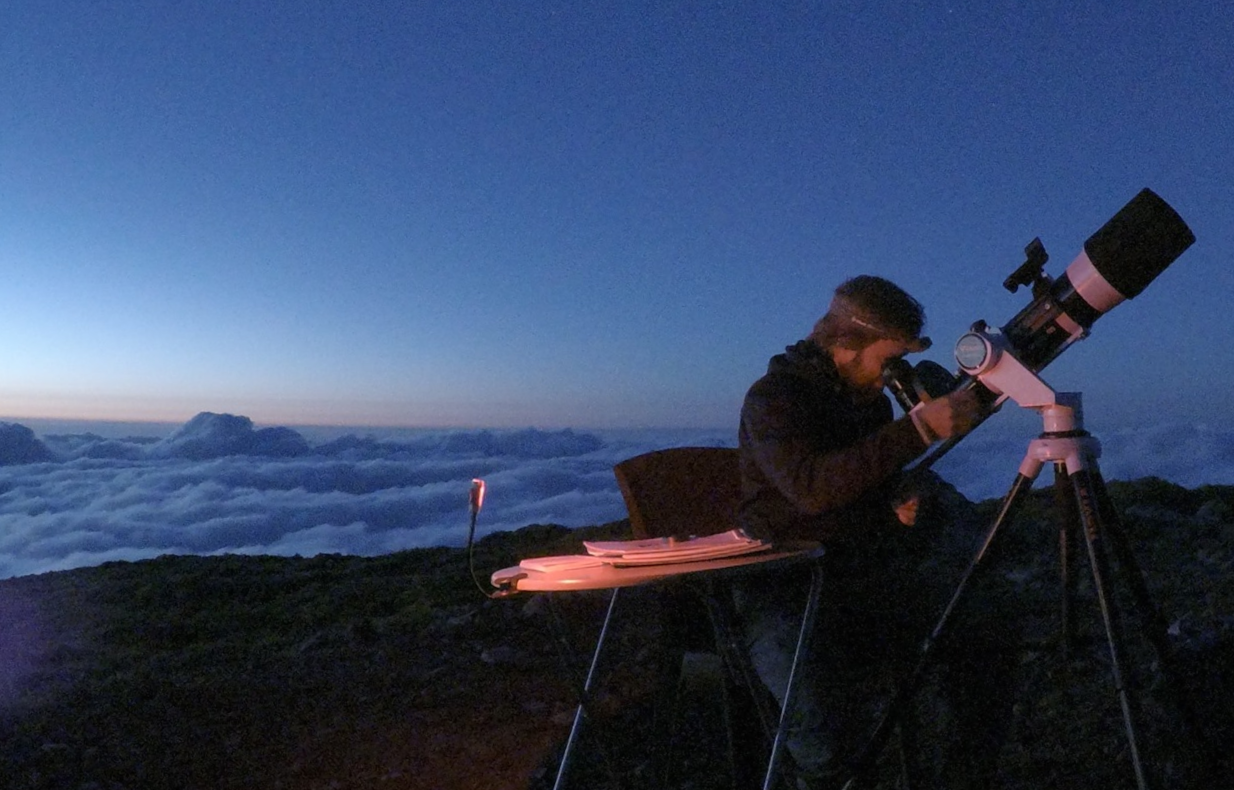
For visual deep-sky observing and astrophotography, sunset is only the beginning of the night. The sky continues to darken through civil twilight, nautical twilight, and astronomical twilight. Astronomical darkness begins when the Sun is at least 18 degrees below the horizon. That is usually the point when the sky is dark enough for most deep-sky observing and imaging.
Knowing when astronomical darkness occurs can be a complicated matter. It changes from night to night, and sometimes quite dramatically during certain seasons depending on your geographical location. High-latitude summer nights may never reach astronomical darkness, while winter nights can offer many hours. The next complication is the Moon, which brightens the sky and reduces useful astronomical darkness. The Moon can be the difference between a productive deep-sky session and a washed-out one. For many people, including myself, the Moon's presence is a big no-no for deep-sky observing. Even a thin crescent will have an impact on the visibility of faint objects, and a bright Moon can make it impossible to see anything but the brightest stars and deep-sky objects.
Visualizing Moon Interference
The Moon may stay below the horizon for part of the night, only to come up later and cut the night short. Knowing when the Moon rises and sets, how bright it is, and how much of the night it interferes is crucial for planning a successful night under the stars.
The thing I always found most frustrating was that the tools available to check the Moon's interference were not designed to help me understand how much of the night would be affected, especially when you're thinking about a longer perspective over the coming weeks and months. So, I've tried to design the Moon visualization in Darkness Calendar to make it as easy as possible to clearly see the difference a day can make for the length of available darkness.
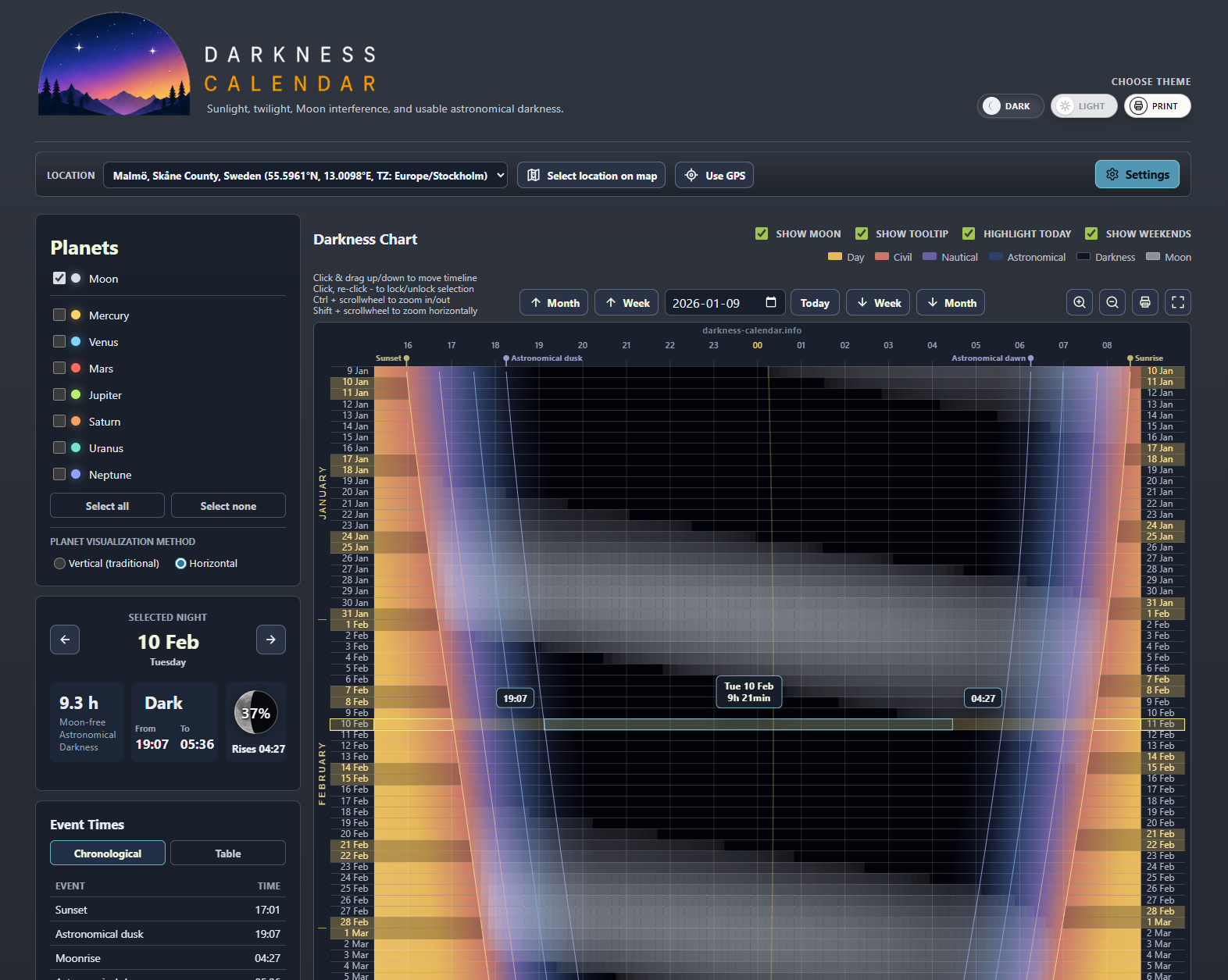
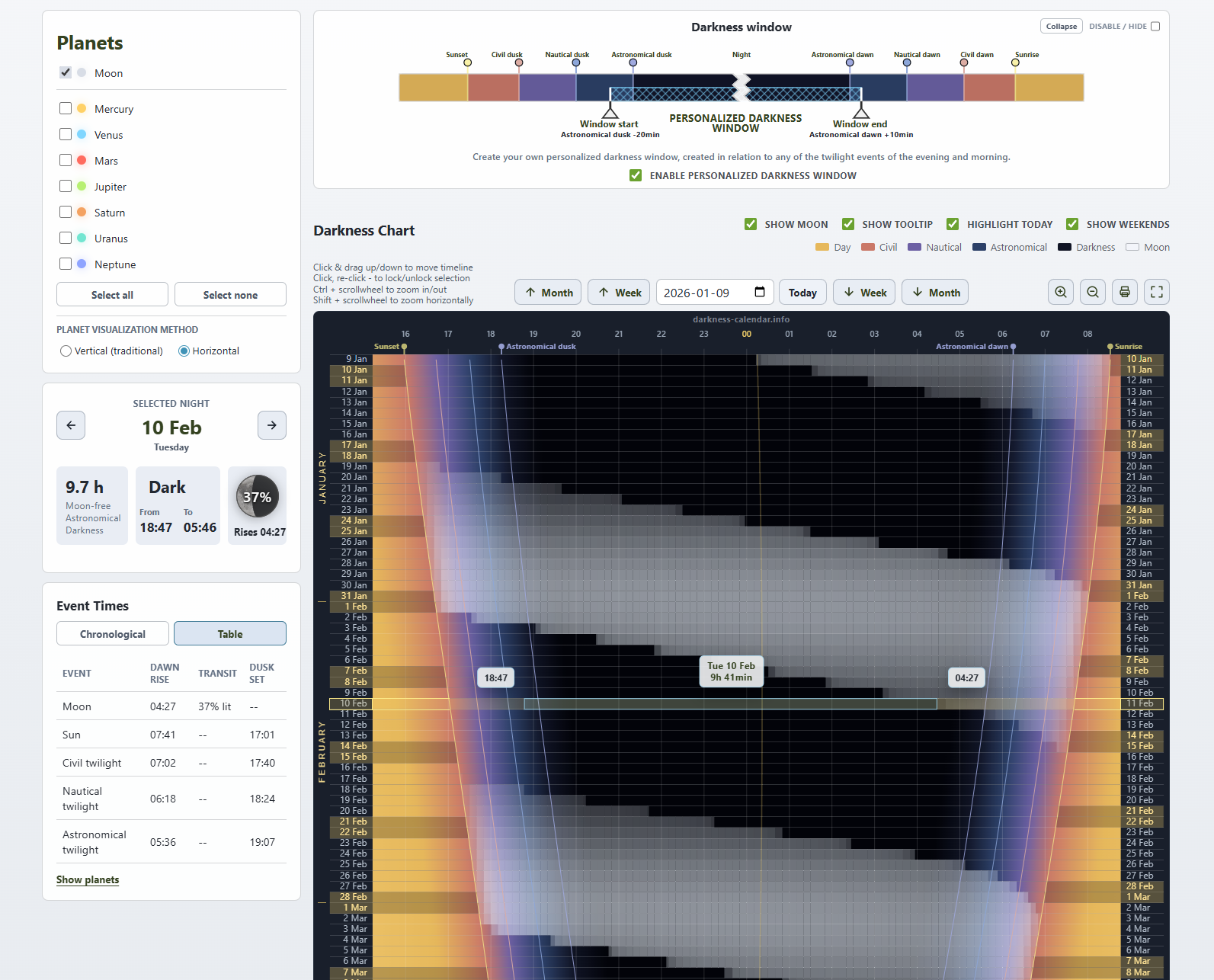
Darkness Calendar shows the Moon's rise and set interval, estimates the visual strength of Moon interference from illumination and altitude, and summarizes how much astronomical darkness remains after Moon-visible periods are removed. It tells you at a glance how much of the night is Moon-free, and how much of the night is brightened by the Moon, so you can easily find the best nights for your observing needs.
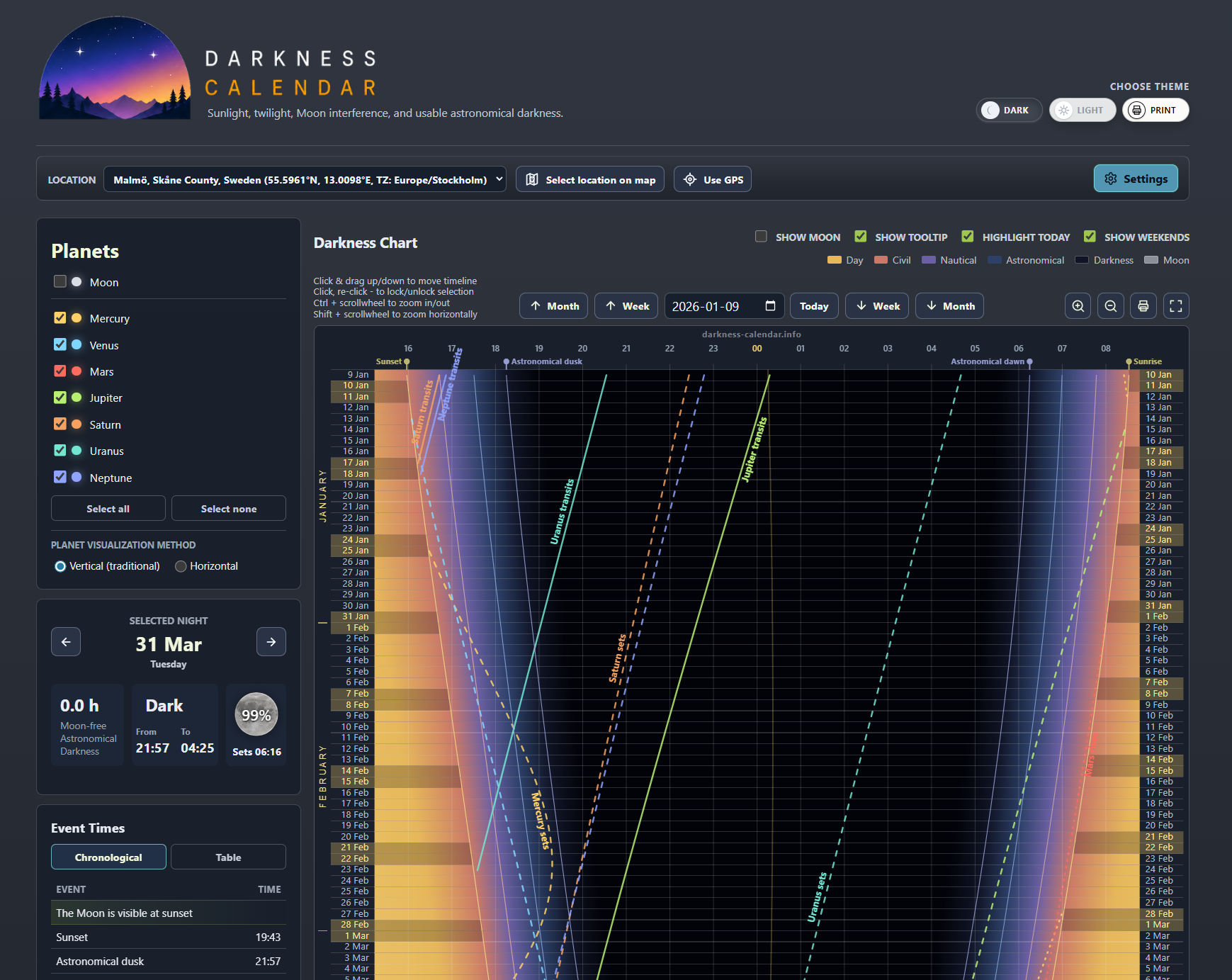
How to read the Darkness Chart
- Daylight and twilight colors show how the sky transitions from day to night and back again.
- The dark band is the astronomical night where the Sun is below -18 degrees.
- Moon shading marks when the Moon is above the horizon and how strongly it may affect the night.
- Event lines mark sunset, twilight transitions, sunrise, and optional planet events.
- The selected-night panel summarizes astronomical darkness, what times are dark, and how much of the night is Moon-free.
Custom darkness windows
Not every observer uses the same definition of a useful night. Some people are willing to start before astronomical dusk. Others only care about the middle of the night after equipment is ready and targets are high enough. Darkness Calendar lets you define a custom darkness window relative to evening and morning twilight events.
Planet visibility
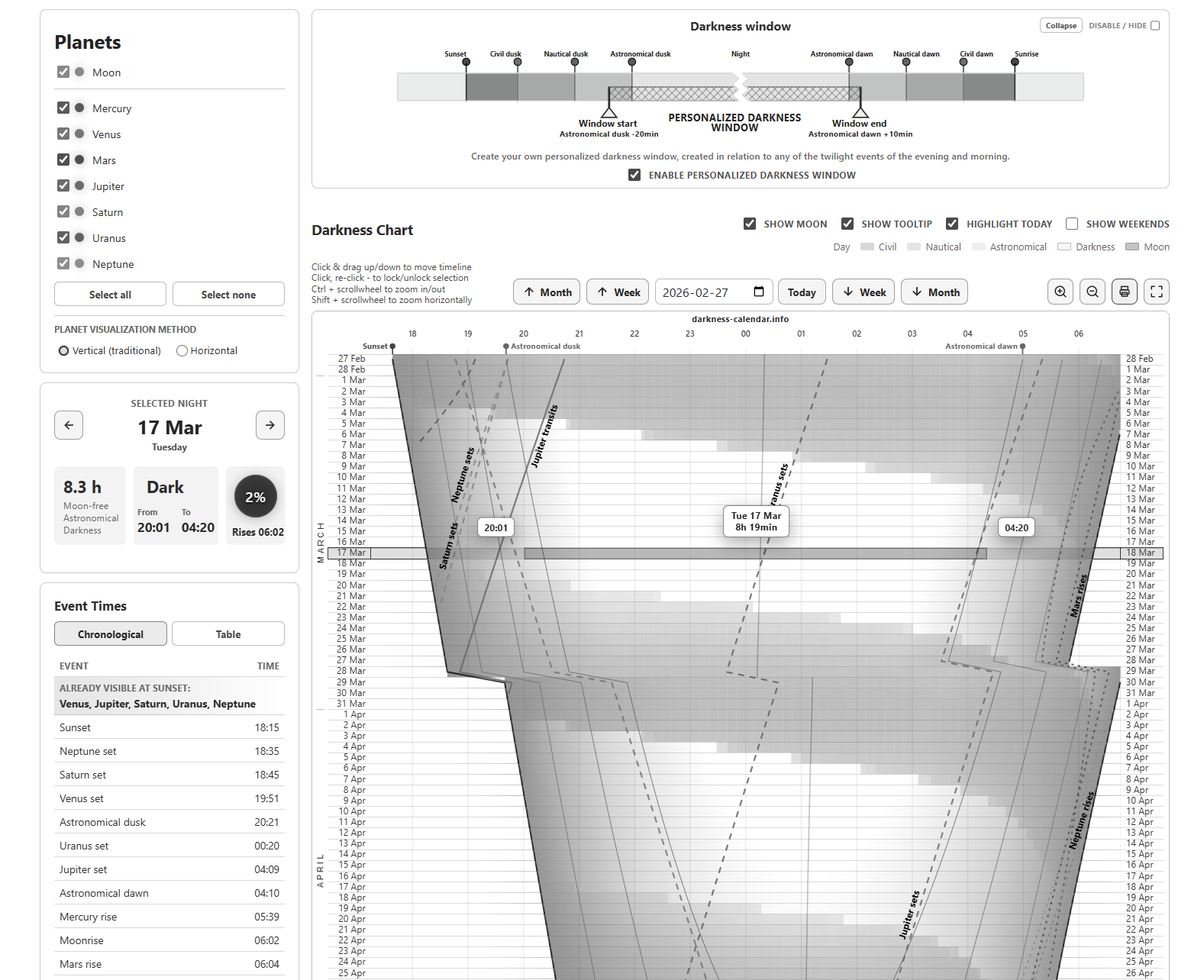
The app can also show when the planets are visible. When enabled, the chart can show whether a planet is above the horizon, its rise, transit time, and set time. This is not meant to be a detailed planet-visibility tool, but it is useful for the casual observers who want to know if a planet is up during their planned night.
Customizable visualization
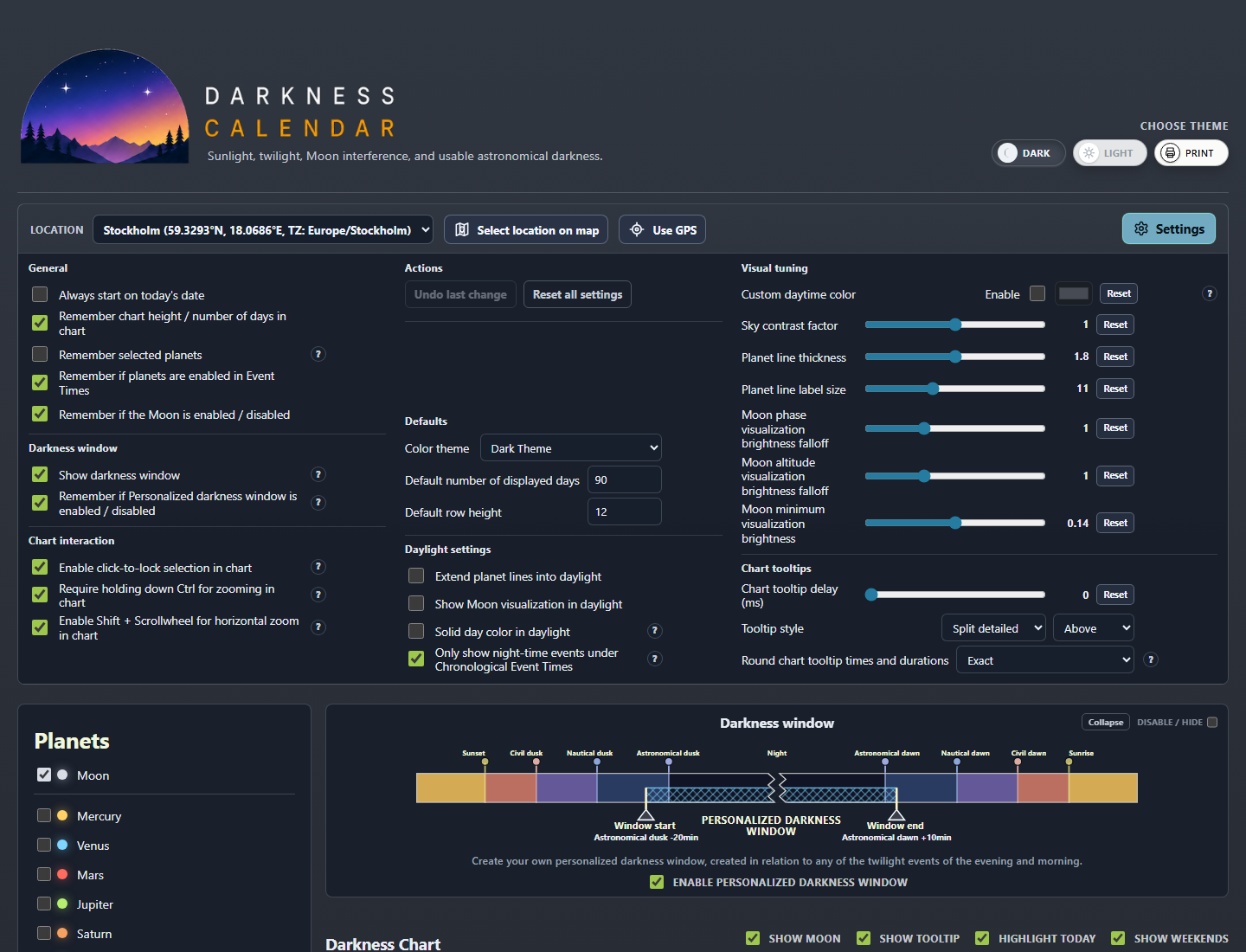
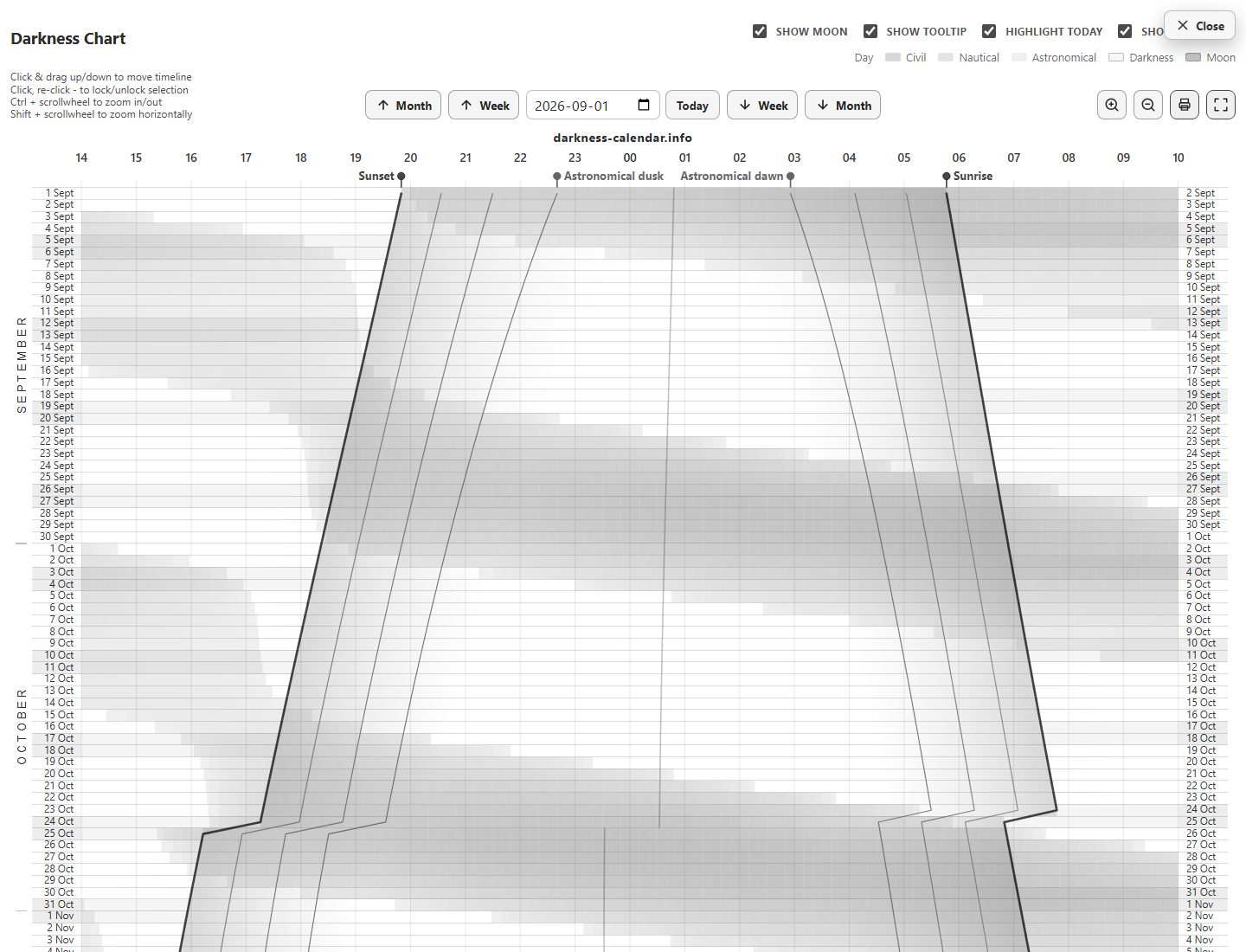
Darkness Calendar has three themes: a dark theme for use in the field, a light theme for use in bright environments, and a print theme and a fullscreen mode that is optimized for better printing on black-and-white printers. The app also has options to show or hide planet event lines, and to show or hide the Moon visualization for a cleaner look when the Moon is not a concern.
Lots of other options are available to customize the appearance and behavior of the chart, including adjustable transparency, custom colors, line and label styles, as well as what to include in the event times lists. Open the app settings and explore the customization options.
Screenshots